

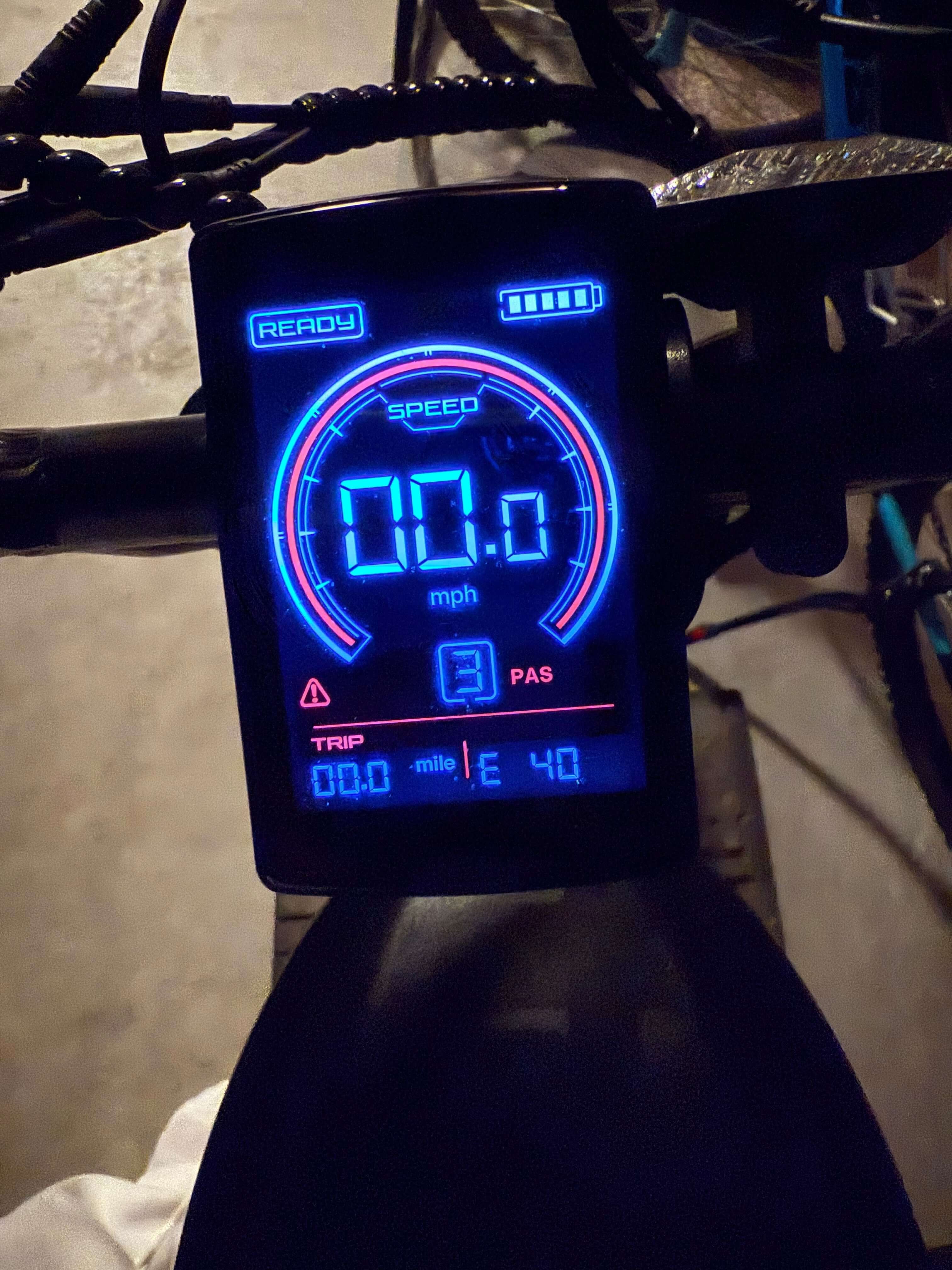
Your Movcan e-bike's intelligent LCD display is the command center of your riding experience, providing real-time data that keeps you informed, safe, and in control. From tracking speed and battery levels to monitoring pedal assist modes and troubleshooting alerts, your display is working 24/7 to enhance every ride. Proper maintenance ensures this critical component continues performing at peak efficiency for years to come.
Understanding Your Movcan's Advanced Display Technology
Movcan e-bikes feature sophisticated smart LCD displays that go far beyond basic speedometers. Whether you're riding our V30, V60, V80, or EB60 models, your display serves as an intelligent interface providing:
Real-Time Performance Monitoring
- Current speed tracking with precise digital readouts
- Battery level indicators showing remaining charge percentage
- Distance monitoring including trip and total odometer readings
- Power consumption data helping optimize your riding efficiency
- Pedal assist level display for customized power delivery
Advanced Safety Features
- Troubleshooting alerts that identify potential issues before they become problems
- Mode selection interface allowing seamless switching between electric, pedal-assist, cruise, and manual modes
- Integrated lighting controls for enhanced visibility and safety
- Speed limit management ensuring compliance with local regulations
Daily Display Care: Your 5-Minute Routine
Pre-Ride Inspection (2 minutes): Start each ride with a quick display functionality check. Power on your Movcan e-bike and verify all display segments illuminate properly. Check for cracked screens, moisture inside the display housing, or loose mounting hardware. Your display should respond immediately to button presses and show clear, sharp readings.
Post-Ride Wipe-Down (3 minutes): After every ride, especially in dusty or wet conditions, gently clean your display screen with a soft, lint-free cloth. This prevents buildup of dirt, salt, and grime that can interfere with visibility and button functionality.
Weekly Deep Clean Protocol for Movcan LCD Displays
Safe Cleaning Procedure
Step 1: Power Down Always turn off your Movcan e-bike completely before cleaning. This prevents accidental button activation and protects sensitive electronics during the cleaning process.
Step 2: Gentle Surface Cleaning Use a slightly damp microfiber cloth with distilled water to clean the screen surface. Avoid harsh chemicals, alcohol-based cleaners, or abrasive materials that could damage the LCD coating or waterproof seals.
Step 3: Button and Connector Maintenance Clean around buttons and connection ports using a soft-bristled toothbrush or cotton swab. Pay special attention to areas where moisture or debris might accumulate, as these can cause connectivity issues.
Step 4: Protective Coating Check Inspect the display's waterproof seals and mounting hardware. Look for signs of wear, cracking, or loose screws that might compromise your display's weather protection.
Monthly Maintenance: Ensuring Long-Term Reliability
Deep System Checks
Once monthly, perform comprehensive display diagnostics by cycling through all menu options and verifying proper function of each feature. Test backlight brightness settings, speed unit conversions (MPH/KMH), and pedal assist level adjustments.
Connection Security Verification
Check all wiring connections behind your display unit. Vibrations from riding can gradually loosen connections, leading to intermittent display problems or complete failures. Ensure all connectors are firmly seated and corrosion-free.
Software and Calibration Updates
Review your display settings monthly to ensure wheel size calibration remains accurate. Incorrect settings can affect speed readings and range calculations, impacting your ride planning and safety.
Environmental Protection Strategies
Weather Resistance Enhancement
While Movcan displays feature weather-resistant construction, additional protection extends their lifespan significantly. Consider using a clear protective screen cover during extreme weather conditions or when riding in particularly dusty environments.
Temperature Management
Hot Weather Precautions: Park your Movcan e-bike in shaded areas when possible. Extended exposure to direct sunlight can cause LCD display degradation and reduce screen contrast visibility.
Cold Weather Care: In freezing conditions, allow your display to gradually warm up before operation. Sudden temperature changes can cause condensation inside the housing or temporary screen sluggishness.
Troubleshooting Common Movcan Display Issues
Screen Response Problems
If your display becomes unresponsive or freezes, try the classic IT solution: power off your e-bike completely, wait 30 seconds, then restart. This resolves most temporary software glitches and memory errors that can affect performance.
Visibility Issues
Dim or flickering displays often indicate battery connection problems or voltage irregularities. Check your main battery charge level and ensure all connections are clean and tight.
Partial display segments missing typically suggest internal component wear. While this doesn't affect functionality immediately, it indicates your display may need professional evaluation or replacement.
Button Functionality Loss
When buttons become unresponsive, the issue usually stems from dirt accumulation or moisture infiltration. Clean thoroughly around affected buttons using compressed air or a soft brush, ensuring no cleaning solution enters the housing.
Advanced Maintenance for Tech-Savvy Riders
Firmware Awareness
Stay informed about potential firmware updates for your Movcan display system. While most updates require professional installation, knowing about available improvements helps you maximize your display's capabilities.
Connector Maintenance
Apply dielectric grease to electrical connections annually to prevent corrosion. This automotive-grade product creates a moisture barrier that significantly extends connector life, especially important for riders in coastal or humid environments.
When to Seek Professional Service
Warning Signs
Contact authorized Movcan service providers if you notice:
- Persistent error codes that don't clear with restart procedures
- Physical damage like cracked screens or broken mounting hardware
- Complete display failure or intermittent power issues
- Water infiltration signs like condensation inside the screen
Annual Professional Maintenance
Include display inspection in your annual e-bike service routine. Professional technicians can perform diagnostic tests, update software, and verify proper integration with your bike's controller and battery management systems.
Maximizing Your Investment: Display Longevity Tips
Handle with Care: Treat your display like the sophisticated computer it is. Avoid impact, excessive pressure on buttons, and exposure to extreme conditions when possible.
Use Protective Accessories: Invest in quality handlebar covers or display shields for extreme riding conditions. The small upfront cost prevents expensive display replacement later.
Document Issues: Keep records of any display problems, including when they occur and under what conditions. This information helps service technicians diagnose issues more efficiently.
The Future of E-Bike Display Technology
As we advance through 2025, e-bike displays continue evolving with enhanced features like GPS integration, smartphone connectivity, and improved weather resistance. Proper maintenance of your current Movcan display ensures you're ready for future upgrades while maximizing the performance of your existing system.
Your Movcan e-bike display represents sophisticated technology designed to enhance every aspect of your riding experience. With proper care and maintenance, it will continue providing reliable, accurate information for thousands of miles of adventures.